
Every dev getstheir own stack.Two commands.
klight gives every developer an isolated, full-stack Kubernetes environment — without knowing Kubernetes exists. Postgres, Kafka, Redis, and all your services spin up in the right order, every time.
# New team member — zero clones, zero config
$ klight sync https://infra.company.com/klight-team.yaml
$ klight up store --env alice

✓ postgres ready
✓ kafka ready
✓ inventory-api ready
✓ store-api ready
✓ store-web ready
✦ alice 5/5 ready — 1m 43sOpen source · Works with minikube, EKS, GKE, AKS · Python CLI


Local dev environments are broken.
Docker Compose was a clever hack for 2014. The enterprise alternatives — Tilt, Signadot, DevSpace — solve it with complex YAML or an enterprise contract. Neither is right for a 5-person startup.
Docker Compose lies to you
Shared volumes, no namespaces, port conflicts when Alice and Bob both run the stack. And when you hit prod with real K8s, nothing matches.
New teammate takes 3 days
Clone 8 repos, configure 14 env vars, start services in the right order, debug why kafka isn't connecting. Three days. Every hire.
Production parity is a myth
Docker Compose doesn't have init containers, pod-level health checks, or namespace isolation. You find out in staging. Or worse — production.
Everything your team needs. Nothing else.
One tool for every stage of development — from your first local build to a 30-person remote team.
Local dev — no cloud needed
minikube under the hood. Build your service image, load it, deploy it. Edit, rebuild, hot-swap. The full loop runs on your laptop in under 2 minutes.
Team sync — one URL, full stack
DevOps publishes klight-team.yaml once. Every dev runs klight sync <url> and gets every service config, CI image reference, and profile definition. No cloning required.
Remote cluster — same commands
Outgrew local minikube? DevOps runs klight cluster setup-remote once. Devs connect with a token. klight up store --env alice works identically on EKS, GKE, or AKS.
Zero Kubernetes knowledge required
Zero configklight generates all the K8s YAML — deployments, services, configmaps, init containers. Developers write one klight.yaml per service. That's it.
Dependency ordering, done right
Each service gets a sentinel init container that blocks startup until its dependencies are healthy. postgres, kafka, redis — all start in the right order, every time. Same as prod.
Hot-swap with local build
Edit → rebuild → klight replace store-api --with ./store-api --env dev. Your running env picks up the new image in seconds. No full redeploy needed.

Three scenarios. One tool.
Whether you're a solo developer, a growing team, or running on a shared cloud cluster — the commands are identical.
Solo dev, local code
You have the repos. No CI pipeline. You want a real stack, not hacks.
- 1Start minikube once
- 2Build and load your images
- 3klight reads your klight.yaml files
- 4Edit → rebuild → hot-swap in seconds
$ klight local setup$ klight local build-load inventory-api --path ./inventory-api$ klight local build-load store-api --path ./store-api$ klight from-repos ./inventory-api ./store-api --env dev$ klight replace store-api --with ./store-api --env dev
Team sync, no clones
New dev joins. They should be running the full stack in minutes, not days.
- 1DevOps publishes one team YAML
- 2Devs sync it with a single URL
- 3Each dev gets their own namespace
- 4CI images pulled automatically
$ klight sync https://infra.company.com/klight-team.yaml$ klight up store --env alice$ klight up store --env bob
Remote cluster, one token
Local minikube ran out of RAM. Move the whole team to EKS without changing a command.
- 1DevOps runs one command on the cluster
- 2Gets a token valid for 1 year
- 3Devs connect with that token
- 4Same klight up commands work on EKS/GKE/AKS
# DevOps (once):$ klight cluster setup-remote # creates SA + RBAC + prints token # Dev (once per laptop):$ klight connect --url https://cluster.company.com --token eyJ...$ klight use klight-remote$ klight up store --env alice # same command, cloud cluster

One YAML file.
Zero K8s knowledge.
Add a klight.yaml to each service repo. klight generates all the Kubernetes YAML — deployments, services, configmaps, init containers, migration jobs — without you writing a single line of K8s.
- ✓Declare what your service needs: postgres, kafka, redis
- ✓Specify health check endpoint
- ✓Set env vars your app already reads — unchanged
- ✓Optional migration command runs before the service starts
Zero changes to your application code. No Kubernetes YAML to write or maintain.
# yaml-language-server: $schema=https://klight.dev/schema/klight.yaml.json
name: inventory-api
port: 8081
health: /health

needs: [postgres, kafka]

migration:
  command: ["python", "-m", "app.migrate"]

env:
  DB_HOST: postgres
  DB_NAME: inventory_db
  KAFKA_BOOTSTRAP_SERVERS: kafka:9092
That's the entire klight.yaml. That's it.
The alternatives cost you YAML,
money, or both.
Tilt and Skaffold still require K8s expertise. Signadot requires an enterprise contract. klight is the only one that gets a new developer running in under 5 minutes — with zero Kubernetes knowledge.
Add to needs: and you're done.
klight ships with a catalog of common infrastructure. Add any of these to your klight.yaml and klight starts them, waits for them, and wires up the env vars automatically.
postgres:16-alpine
apache/kafka:3.7.0
redis:7-alpine
mongo:7
rabbitmq:3-management
localstack/localstack:3
elasticsearch:8
Add your own in klight-catalog.yaml
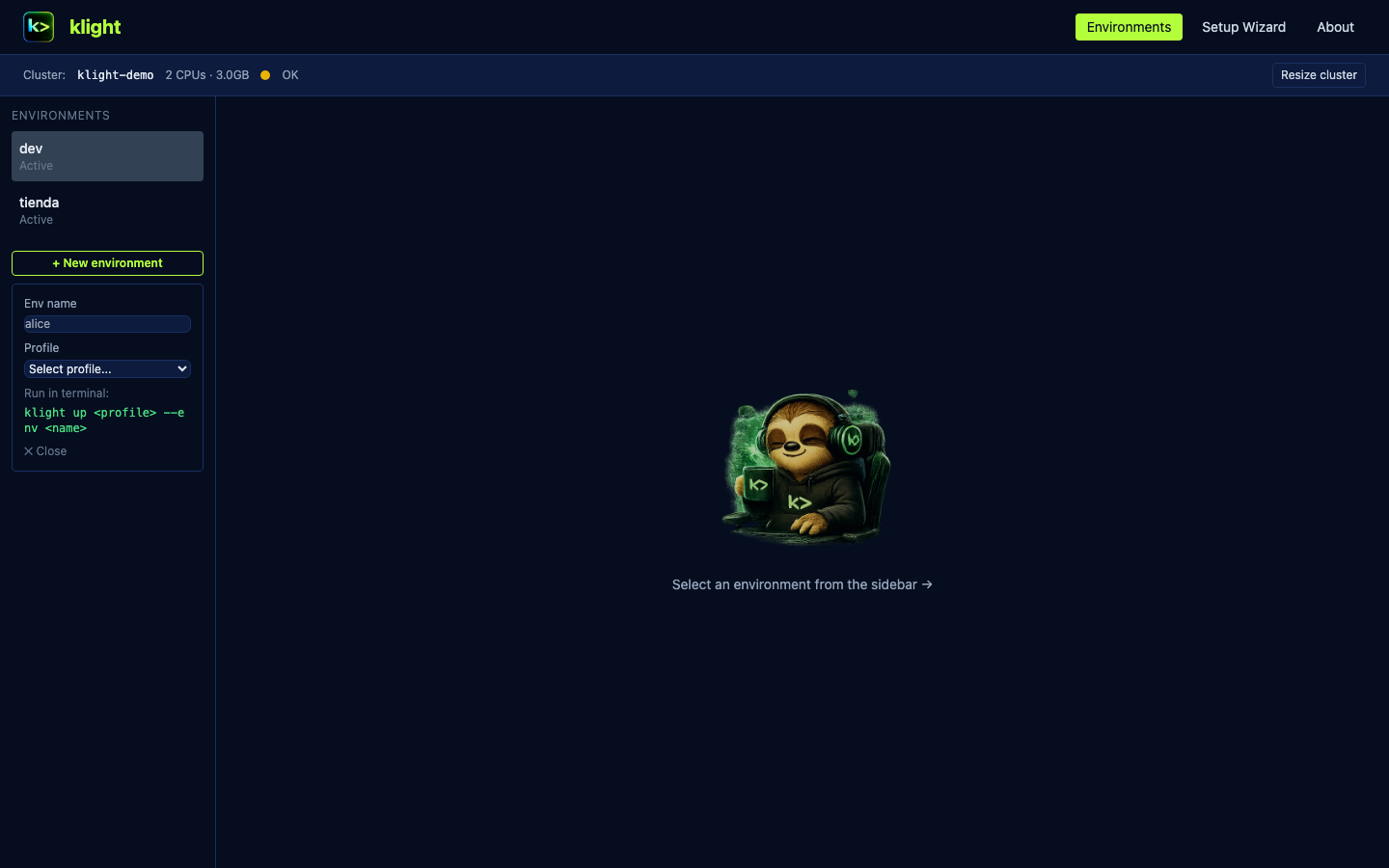
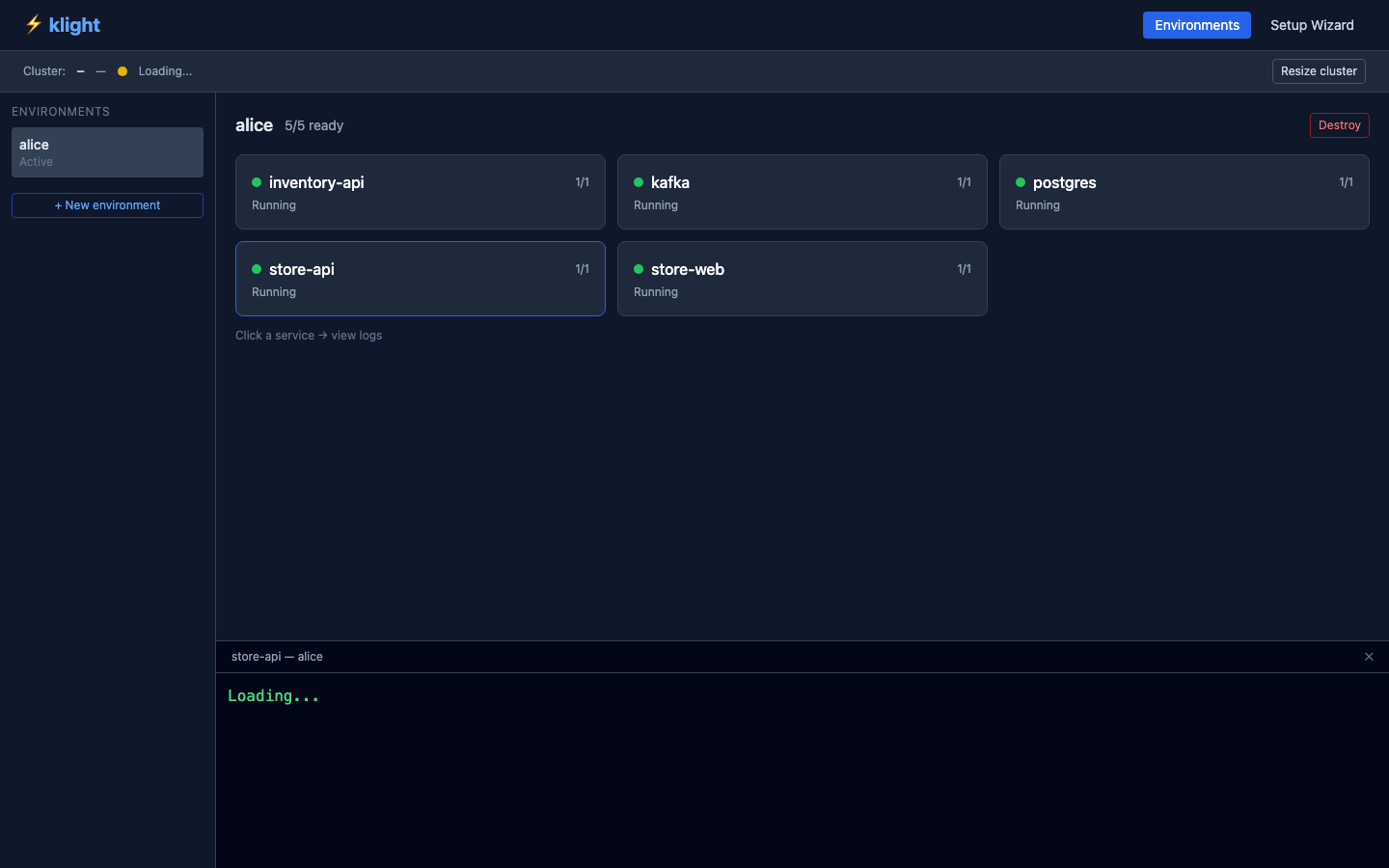
klight ui — a real-time control plane.
One command opens a live dashboard at localhost:7700. See cluster status, environment health, live logs, and sizing warnings — before you get OOMKilled.
Cluster status bar
Always shows where you're running and how much RAM is available — local or remote.
Smart sizing warnings
klight estimates memory needs for your profile before you deploy. No more surprise OOMKilled pods.
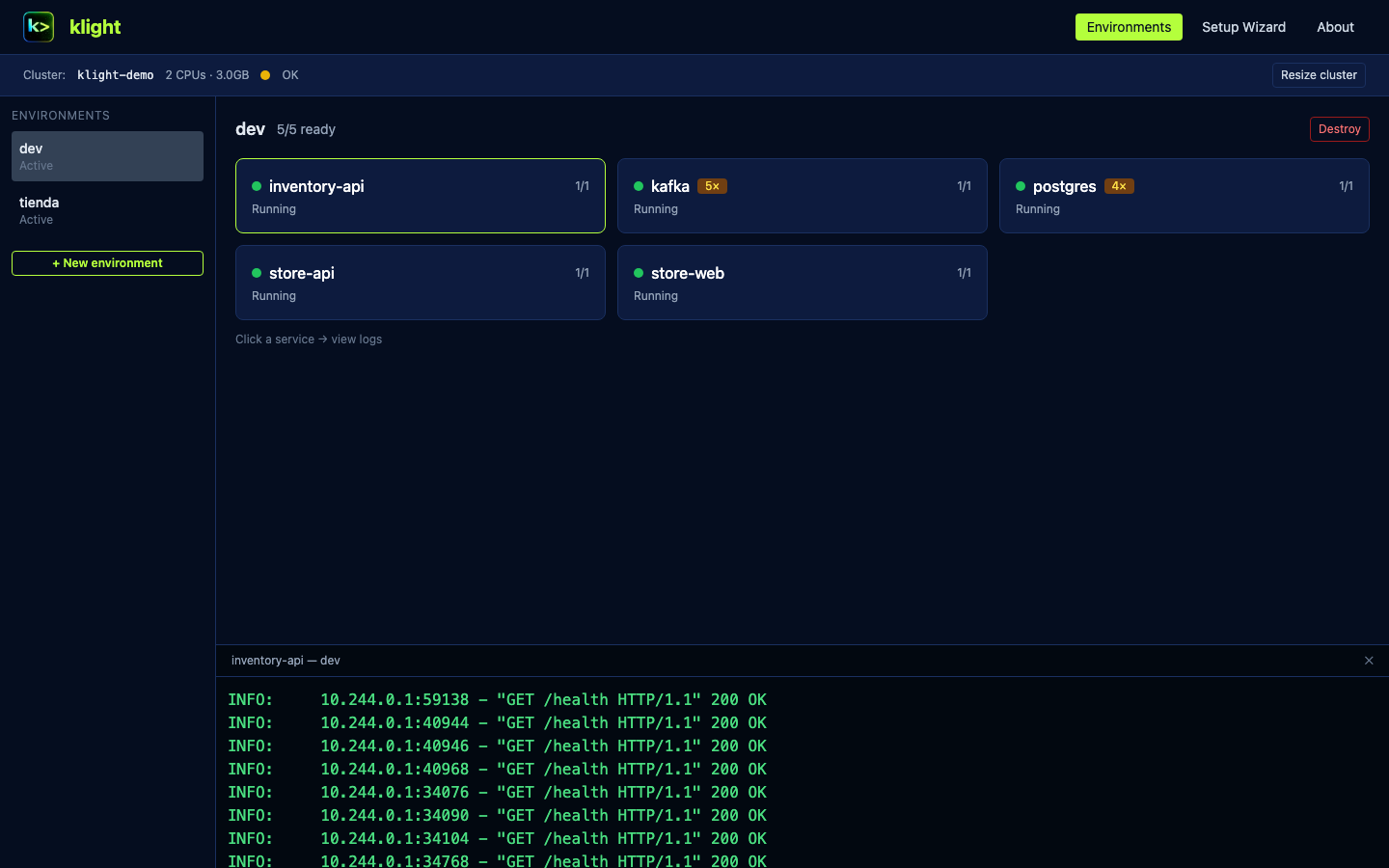
Live logs per service
Click any service card to see real-time logs. No kubectl required.
Setup Wizard for DevOps
Connect your Git platform, scan repos, and generate klight.yaml files without cloning anything.
Local code. No CI. Full stack on your laptop.
You have the repos checked out, you don't want to set up a pipeline. klight builds your images, loads them into minikube, and brings up the whole stack — postgres, kafka, three services — in the right order.
klight from-repos ./api ./web --env dev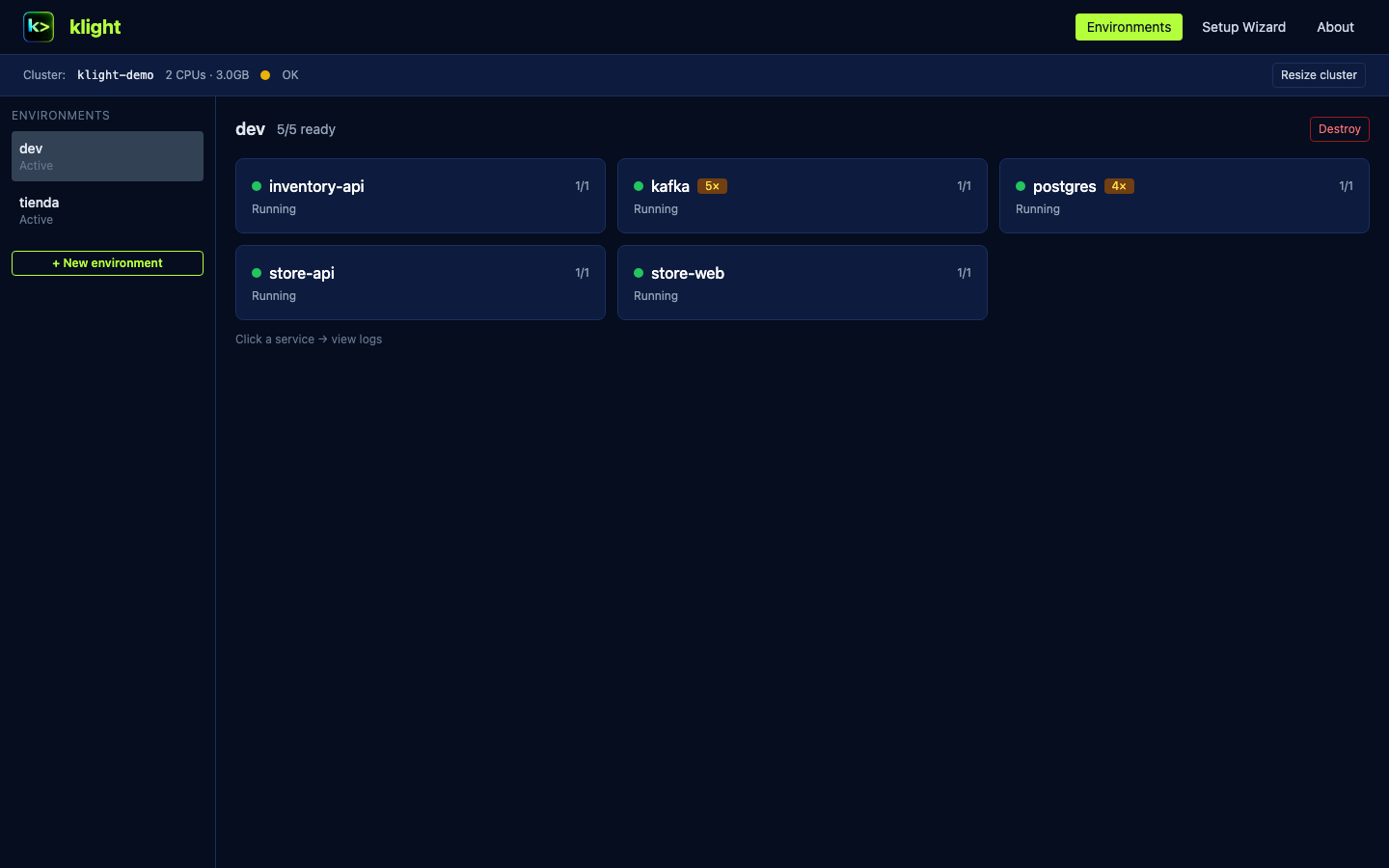
Environments tab
Service detail
Live logs
Sizing banner
DevOps sets it up once. Every dev gets it in two commands.
DevOps connects GitHub, scans repos, and the wizard generates all klight.yaml files — flagging custom infra that needs a catalog entry. A new dev joins, runs klight sync <url> and klight up, and has the full stack running from ghcr.io without cloning anything.
klight ui  # DevOps: Setup Wizard → generate & distribute
klight sync <url> && klight up store --env alice  # dev: two commands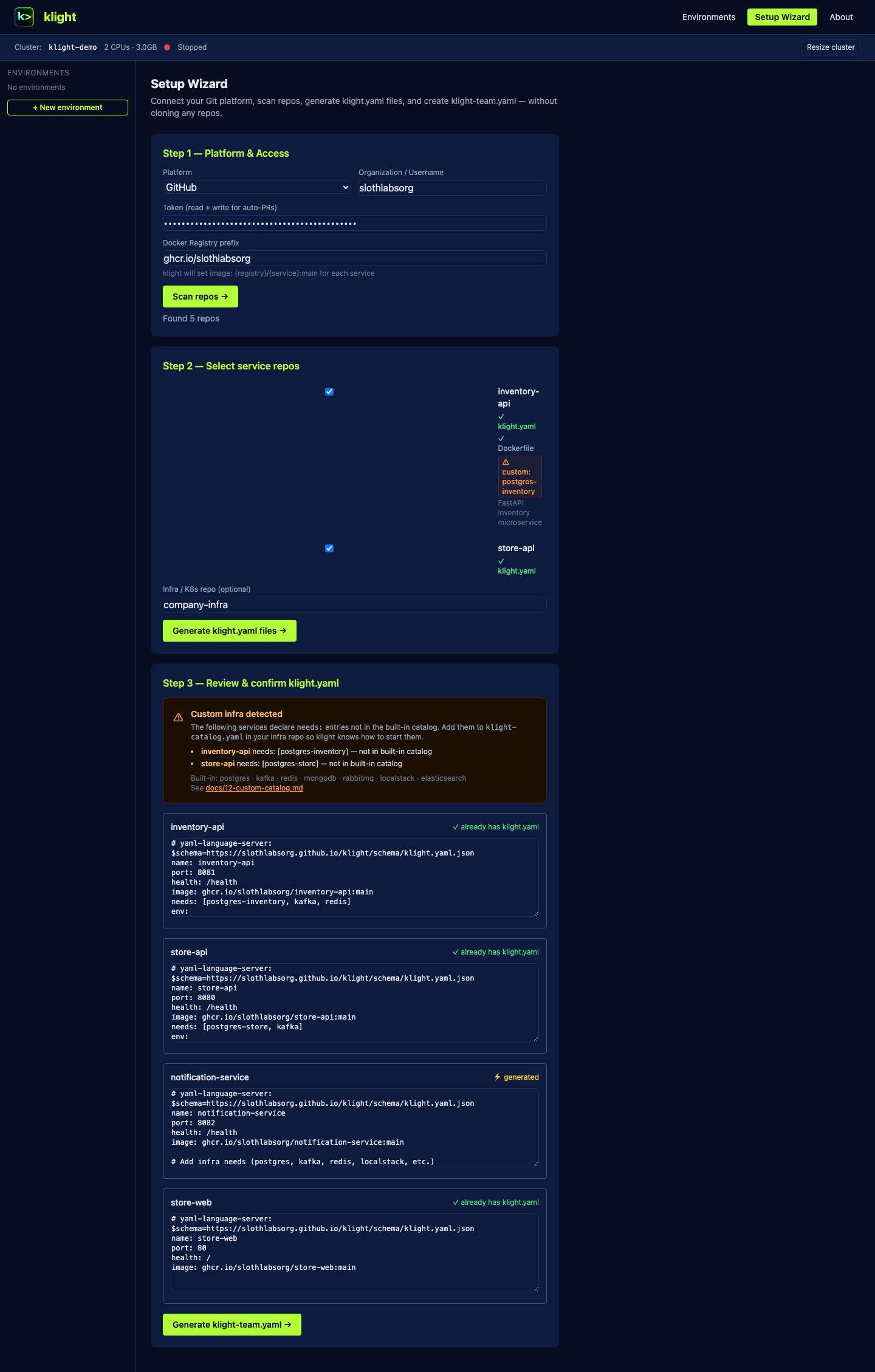
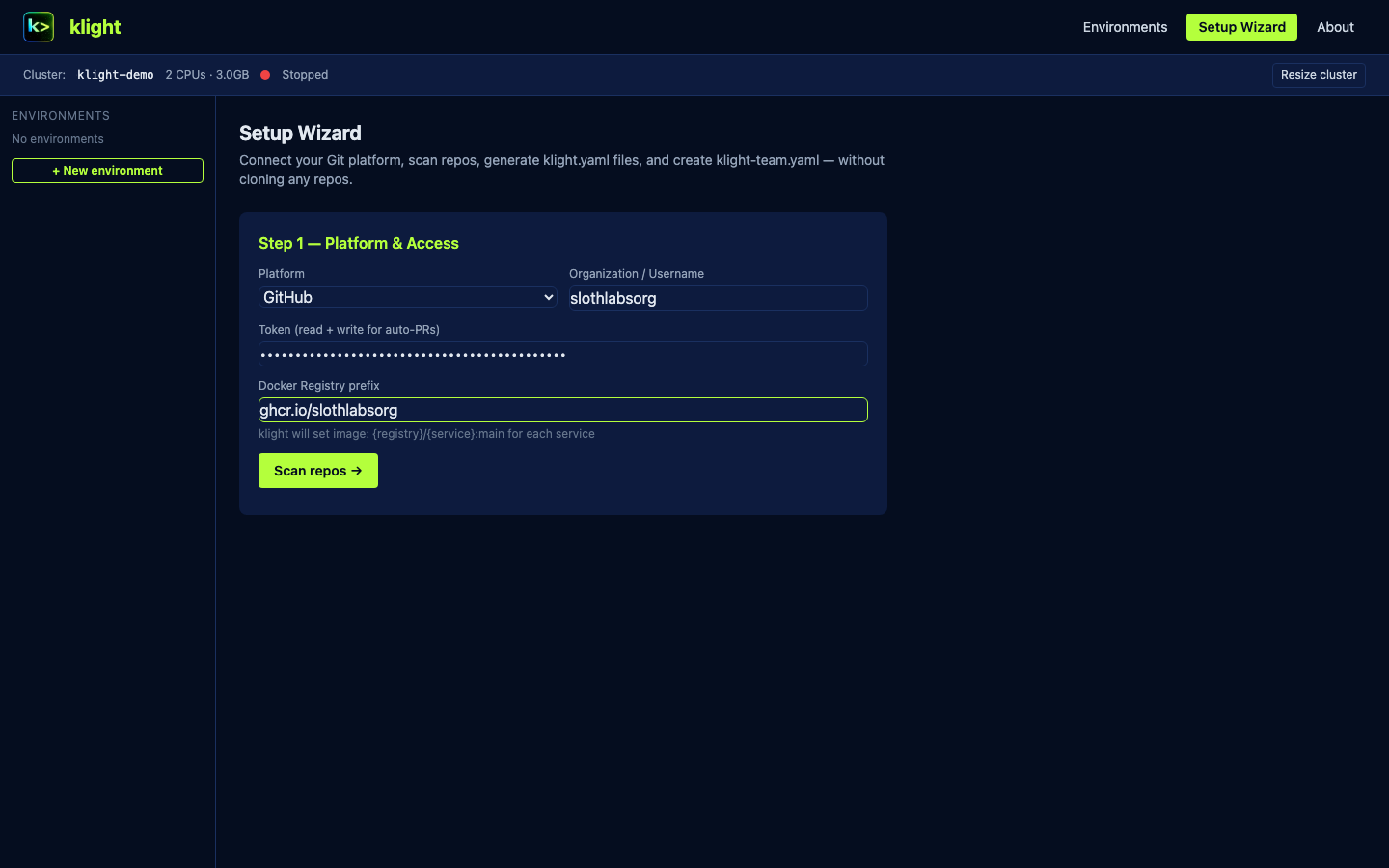
Step 1 — Connect GitHub
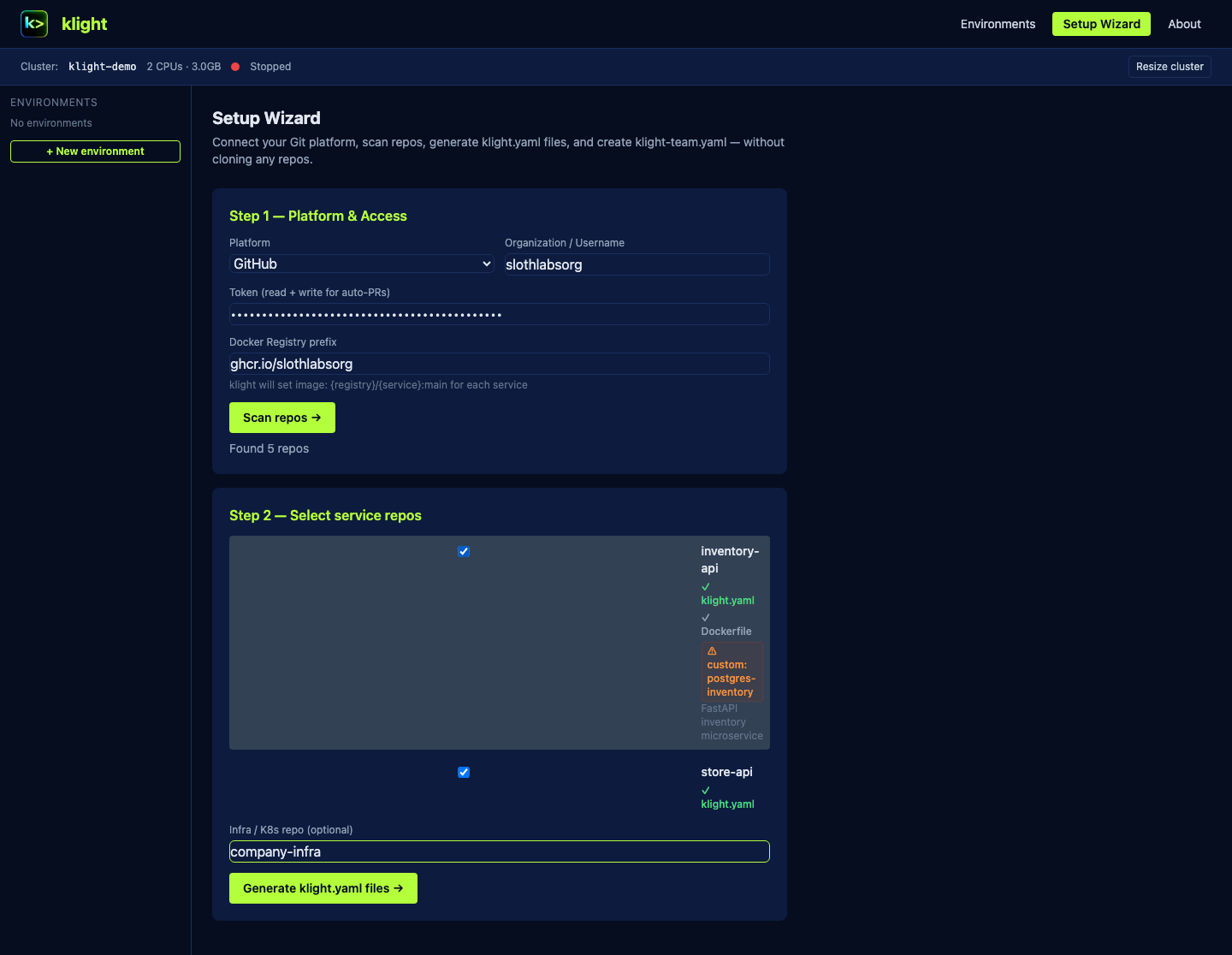
Step 2 — Scan repos
Step 3 — Catalog check
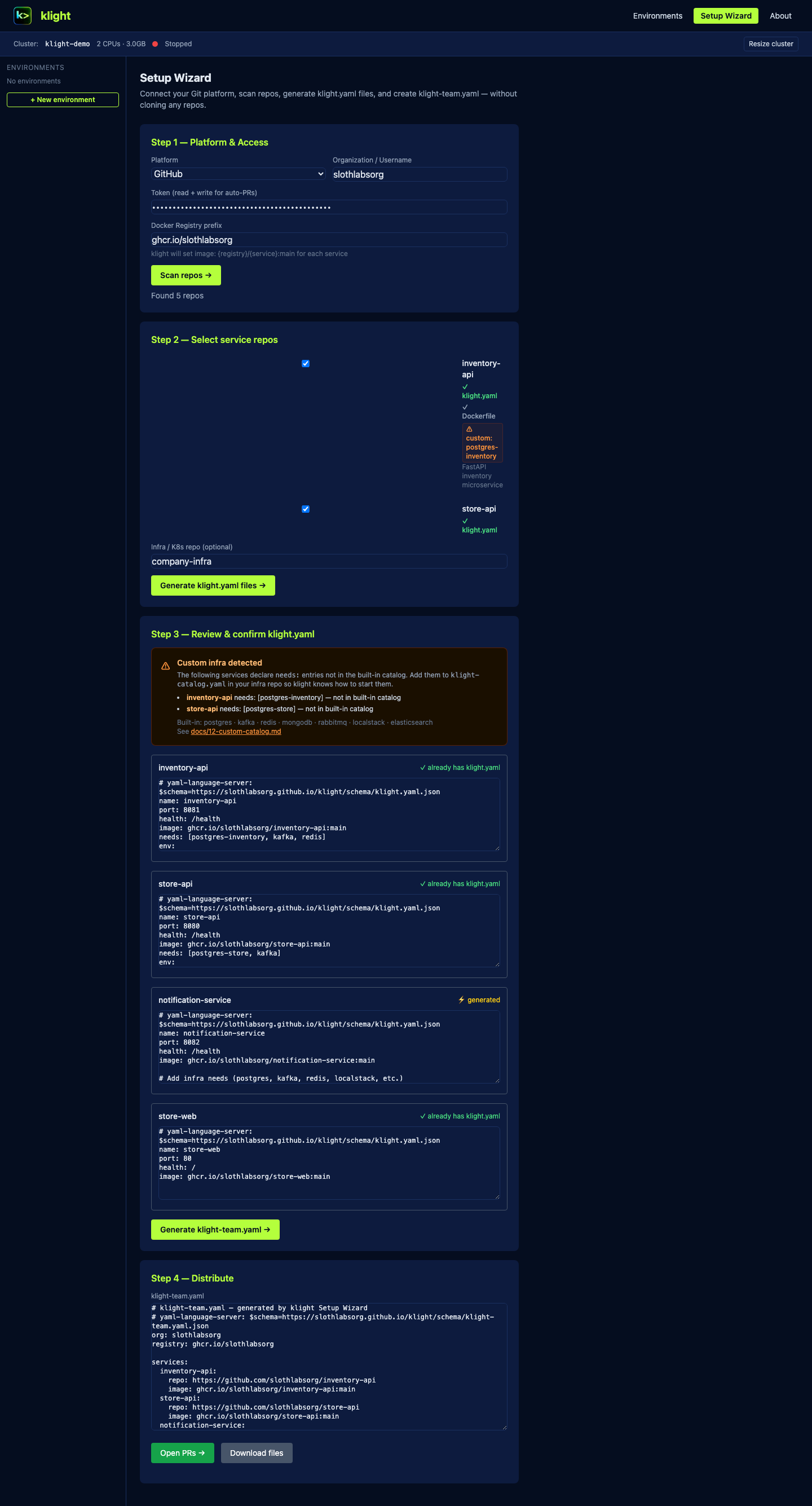
Step 4 — Distribute
Same CLI. Same UI. Cloud cluster.
Your team outgrew local minikube. DevOps runs klight cluster setup-remote once on EKS, sends a one-line connect command. Each developer gets an isolated namespace on the shared cluster — but never sees production.
klight connect --url … --token … && klight up store --env alice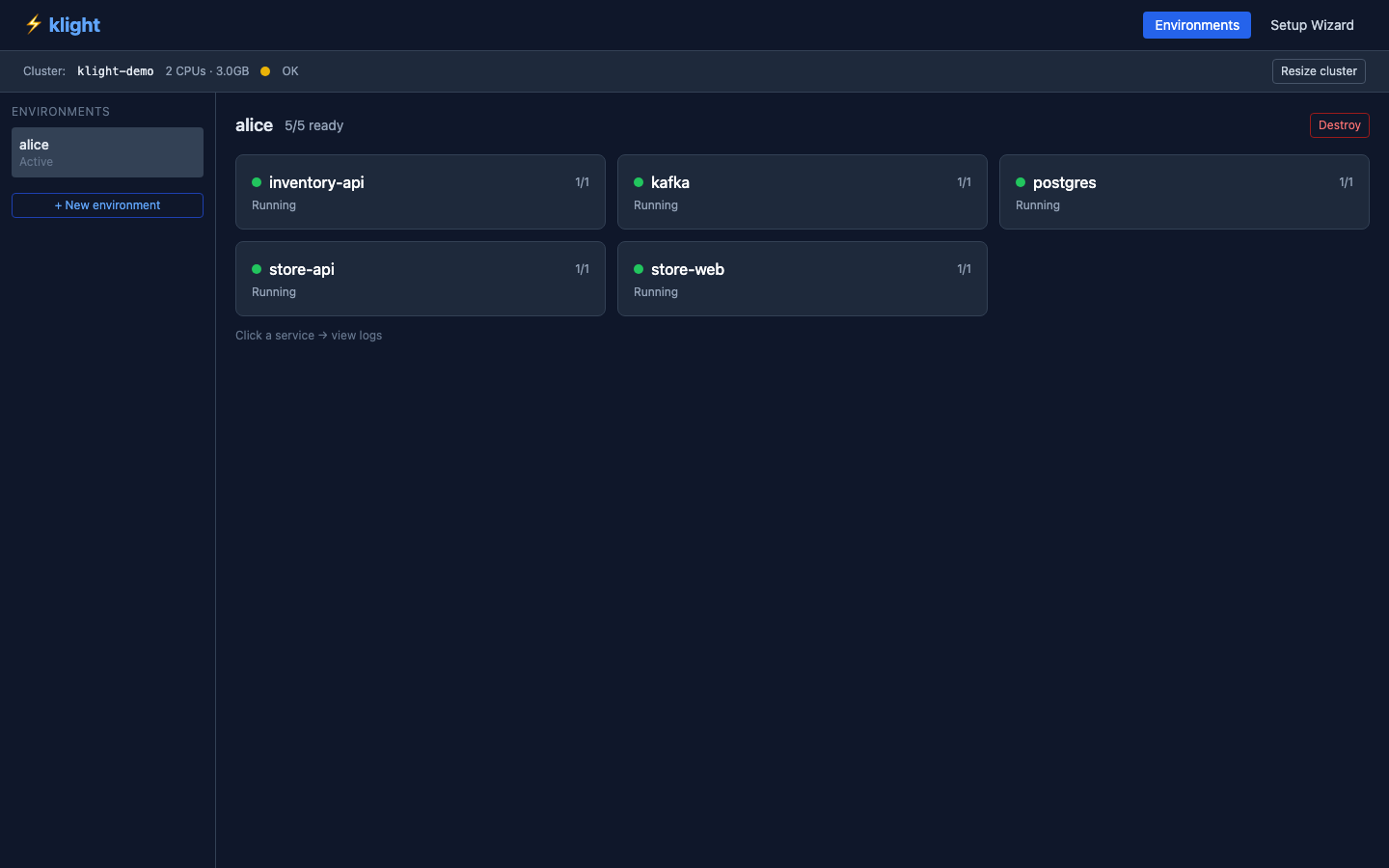
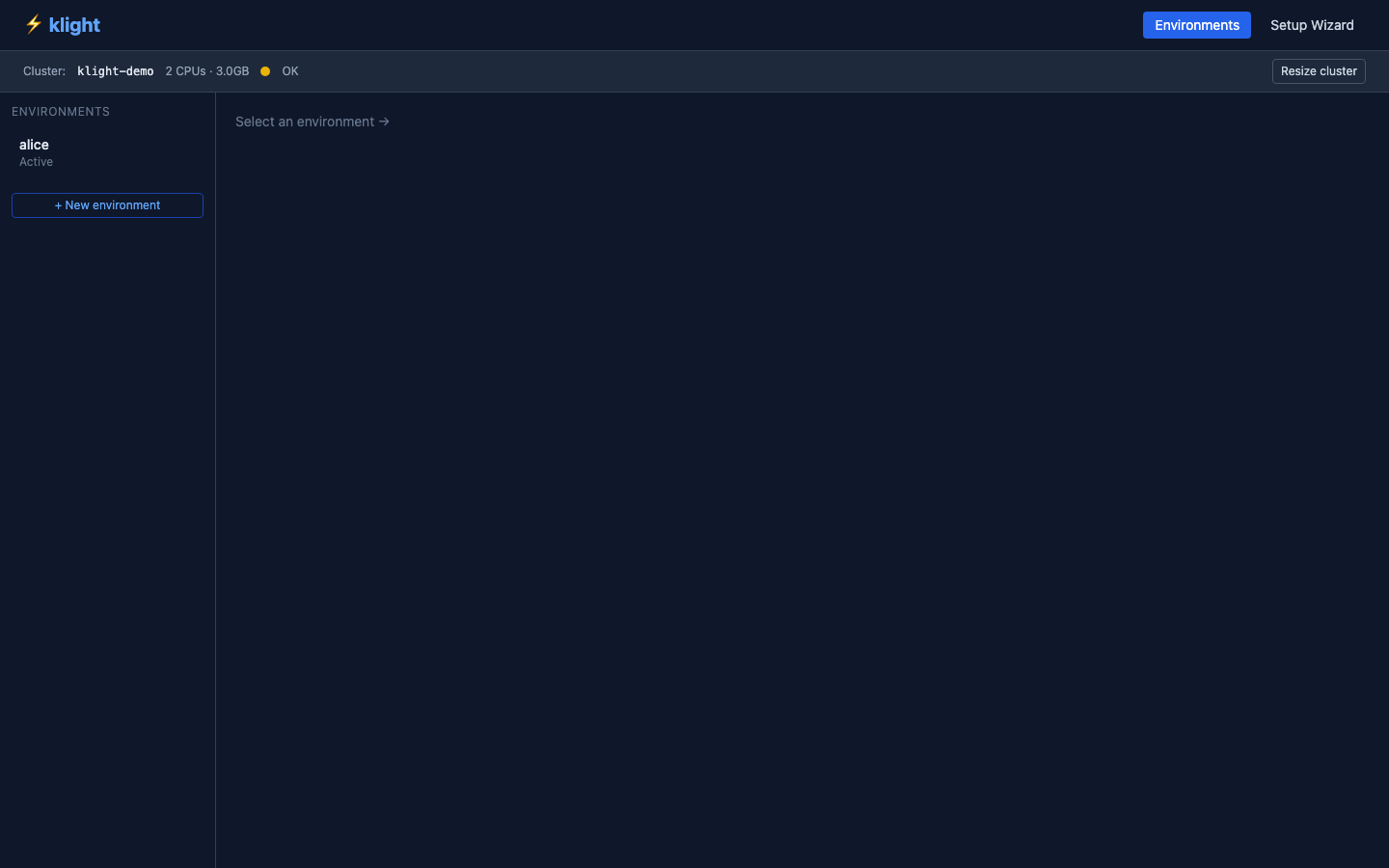
Remote cluster bar
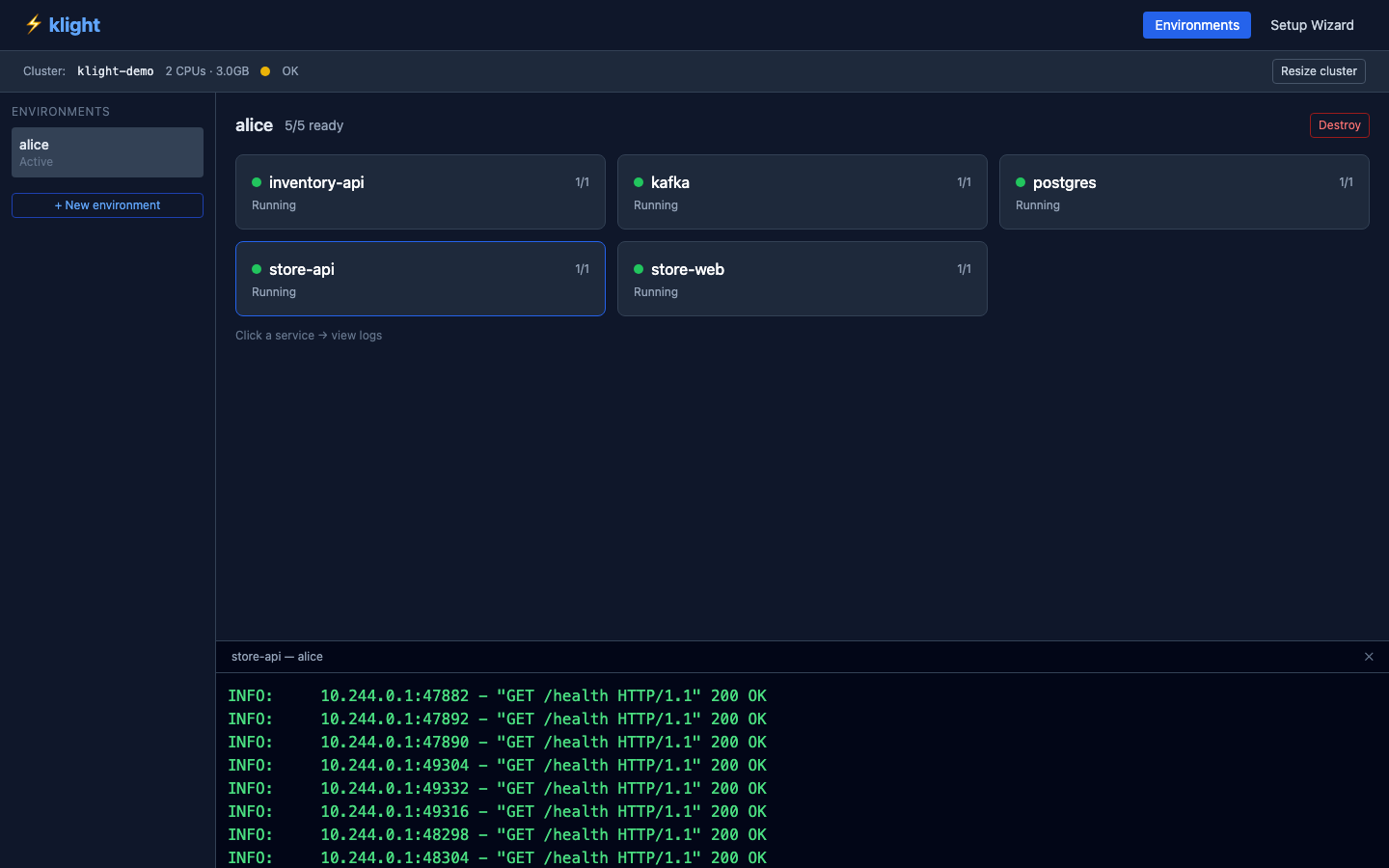
Service detail
Live logs
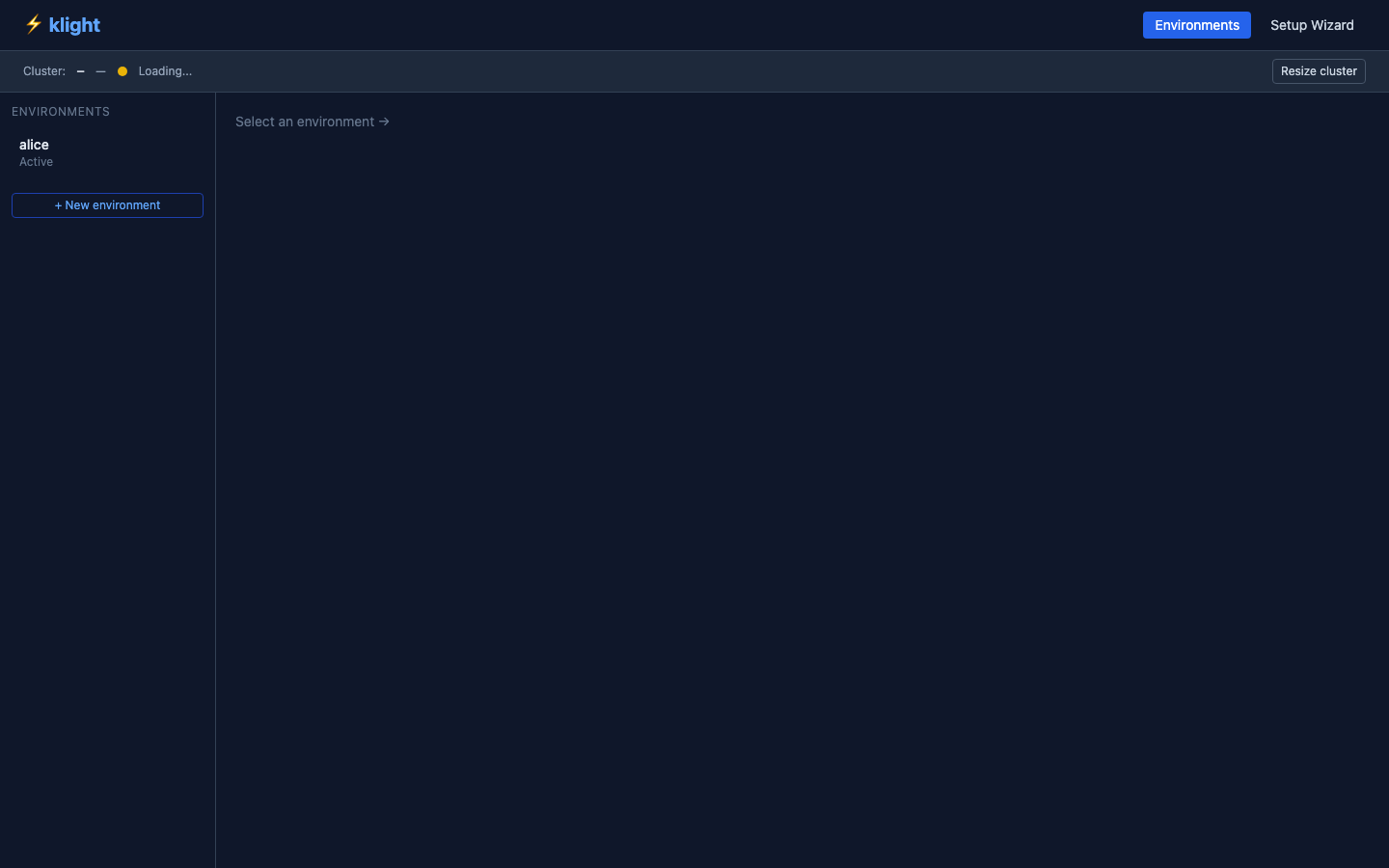
Env list (remote)
Talk to your cluster.
No kubectl required.
klight ships a built-in MCP server. Add it to Claude once — then manage any workflow in plain English. When something needs a terminal or the visual UI, Claude gives you the exact command instead of guessing.
# Claude Code — one command, done:
$ claude mcp add klight -- klight mcp

# Claude Desktop — add to config.json:
{
  "mcpServers": {
    "klight": {
      "command": "klight",
      "args": ["mcp"]
    }}
  }}
}claude mcp add klight -- klight mcpclaude mcp add klight -- klight mcpclaude mcp add klight -- klight mcp17 tools · 4 resources · every workflow covered
# DevOps — run once on your cluster:
$ klight cluster setup-remote

✓ ServiceAccount klight-dev created
✓ ClusterRole klight-dev (env-* namespaces)
✓ Token generated (valid 1 year)

# Share this one command with devs:
$ klight connect --url https://k8s.company.com
           --token eyJhbGci...

# That's the entire onboarding doc.Set up a team in
four steps.
Add klight.yaml to each service
One file per repo — name, port, health, needs, env vars. Use the Setup Wizard to generate them by scanning your GitHub org. If a service needs infra not in the built-in catalog (e.g. two separate postgres instances), the wizard flags it and tells you what to add to klight-catalog.yaml.
Create klight-team.yaml
Central config in your infra repo. Lists services, CI images, and which profiles group them together. Add klight-catalog.yaml alongside it for any custom infra entries.
Run klight cluster setup-remote
On your EKS/GKE cluster. Creates minimal RBAC, generates a 1-year token.
Send devs one URL
klight sync <url> — that's the full onboarding document.

Ready to give your team
their own Kubernetes?
Get early access when klight launches. Free and open source — always.
Works with minikube · EKS · GKE · AKS · Python CLI · MIT license